admin

whatsapp-contact-showing-after-deletion

3 Ways to Fix Contacts Still Showing in Whatsapp After Deleting

Ever had a puzzling moment with your WhatsApp contact list? One minute you hit the ‘delete contact’ button, and the next, their name still pops up on your screen.

It’s like a tech version of a magic trick that leaves you scratching your head instead of clapping your hands.

Several reasons could be why a contact you deleted still appears in your WhatsApp list. It might be due to WhatsApp’s synchronization with your phone’s contact list or some other technical issue.

This blog post will delve into this WhatsApp anomaly and provide effective solutions to fix it.


Understanding WhatsApp’s Contact System

Much like other messaging apps, WhatsApp relies heavily on the contacts stored in your smartphone. When you download and install WhatsApp, it syncs automatically with your phone’s contact list.

Every contact you have saved on your phone will appear in your WhatsApp contact list.

Here’s the kicker: When you delete a contact from WhatsApp, you’re not deleting it from your phone’s contact list. WhatsApp will sync again, and poof, that supposedly deleted contact reappears.

Deleting a contact on WhatsApp means you’ve unlinked that contact from your WhatsApp account, but not entirely from your phone.

To prevent the contact from showing up on WhatsApp, you may also have to delete it from your phone’s contact list.


Why a Deleted Contact Still Shows in WhatsApp

First off, WhatsApp automatically syncs with your phone’s contact list. If a contact you deleted within WhatsApp is still saved on your phone, it will reappear the next time WhatsApp syncs with your contact list.

Secondly, even after you’ve deleted a contact from both WhatsApp and your phone’s list, the contact’s information might be cached.

The cache is like your phone’s short-term memory. It remembers and quickly loads the data you’ve previously viewed.

Clearing the cache in WhatsApp might solve the problem, but we’ll get more into that later in our features section.

Lastly, some users report seeing deleted contacts in group chats, especially if the contact was part of the group prior to being deleted. This is because group info is preserved for all members, regardless of your individual contact list.

How to Fix Contacts Still Showing in WhatsApp After Deleting

Here are the three (3) methods you can use;


Feature 1: Clearing WhatsApp Cache

As mentioned earlier, your phone stores data temporarily in a “cache” to speed up performance. So, clearing the app’s cache might do the trick if a deleted contact keeps showing up in your WhatsApp.

Here’s how:

  • On your smartphone, go to the ‘Settings‘ menu.
  • Find ‘Apps‘ or ‘App Management‘ (the name might vary based on your device).
  • Scroll down and find ‘WhatsApp‘.
  • Inside WhatsApp settings, find ‘Storage‘.
  • You should see an option to ‘Clear Cache.’ Tap on it.

After clearing the cache, restart WhatsApp and check if the contact is still showing up. Remember that clearing your cache will not delete important data like your messages or media.


Feature 2: Updating Your Contact List

If clearing the cache doesn’t work, the next step is to update your WhatsApp contact list manually. It’s like spring cleaning your contacts, ensuring everything is current.

Here’s how:

  • Open WhatsApp and tap on the ‘Contacts’ tab.
  • Tap on the three-dot menu in the top right corner.
  • You’ll see an option that says ‘Refresh’. Tap on it.

This forces WhatsApp to sync again with your phone’s contact list. If you’ve also removed the contact from your phone’s list, it should no longer appear in WhatsApp.


Feature 3: Reinstalling WhatsApp

If the previous methods didn’t work, it’s time for a complete reset: reinstalling WhatsApp. This is our equivalent of a “factory reset” for the app.

Before we begin, it’s crucial to back up your chats because reinstalling will wipe out your message history. Here’s how to do it:

  • Open WhatsApp and go to ‘Settings.
  • Tap on ‘Chats,‘ then ‘Chat backup.’
  • Tap on ‘Back Up Now.‘ Wait for the backup process to finish.

Now you’re ready to reinstall. Uninstall WhatsApp, then download it again from the App Store (for iOS) or Google Play Store (for Android).

During setup, you’ll have the option to restore your chat history.

After reinstalling, WhatsApp should sync with your current phone contacts, minus the ones you’ve deleted. This should help in permanently removing the deleted contacts from showing up.


Frequently Asked Questions (FAQs)

Q1. How do I permanently delete a contact from WhatsApp?

To permanently delete a contact from WhatsApp, you’ll need to remove them from your phone’s contact list.

WhatsApp automatically syncs with your phone contacts, so even if you remove someone from WhatsApp, they’ll reappear if they’re still on your phone.

Once you’ve removed the contact from your phone, refresh your WhatsApp contact list or clear the cache.

Q2. When you delete someone from contacts can they still see you on WhatsApp?

Yes, they can. Deleting someone from your contacts doesn’t mean deleting them from WhatsApp. They will still see your status updates, and they can still send you messages.

If you don’t want them to see your updates, you must manually change your privacy settings.

Q3. Why do deleted contacts still appear in WhatsApp Group Chats?

This is due to how WhatsApp handles group information. When a group is created, the contact information is stored within that group.

So, even if you delete a contact from your list, their name will still appear in any groups they were part of. The person would have to leave or be removed from the group to remove them completely.


Conclusion

And that wraps up our dive into the mystery of the reappearing WhatsApp contact. It’s essential to understand that WhatsApp’s contact system works hand in hand with your phone’s contact list.

When you delete a contact in WhatsApp but not on your phone, they will likely resurface the next time WhatsApp syncs with your contacts.

We explored three possible solutions: clearing your WhatsApp cache, updating your contact list within the app, and as a last resort, reinstalling WhatsApp.

Remember, technology isn’t perfect and sometimes requires a bit of maneuvering to get things exactly how we want them.


3 Ways to Fix Contacts Still Showing in Whatsapp After Deleting Read More »

remove-someone-from-whatsapp

3 Ways to Remove Someone from Whatsapp Without Them Knowing

Today, we’re focusing on the subtle art of removing someone from a group chat without causing a disruption or even them noticing.

Have you ever found yourself in a situation where a group chat participant is being disruptive, or perhaps the chat has run its course?

Whatever your reasons, we’ll guide you through navigating these sensitive scenarios with grace and discretion.


How to Remove A Person From WhatsApp Chat Without Them Knowing

Below are the three (3) methods you can use;

It will also include a rundown of the pros and cons of each method so that you can make an informed decision about which one works best for your scenario.

Method 1: Creating a New Group Without The Individual

Sometimes, starting fresh with a new group chat might be best, excluding the person you want to remove. Here’s how you can do this:

  • Open WhatsApp and tap on the new chat icon at the bottom right of the screen.
  • Tap “New Group” and add the participants you want, excluding the person you want to remove.
  • Name the new group and tap “Create.”

Pros: This method allows you to have a fresh start, without any disruptions or awkward situations that could arise from removing someone from an existing group.

Cons: It might be a bit time-consuming if your group has a large number of participants. Moreover, the other group members may notice the absence of the individual you’re trying to remove discreetly.


Method 2: Utilizing the Mute Function

Not quite ready to remove a person entirely from the group? You can take a less drastic measure by using WhatsApp’s mute function. Here’s how:

  • Open WhatsApp and navigate to the group chat.
  • Tap the group’s name at the top to open “Group Info.”
  • Scroll down to find the “Mute notifications” option.
  • Here, you can choose to mute notifications for 8 hours, a week, or even a year.

Pros: This method allows you to mute a member’s messages without removing them from the group entirely. You won’t receive notifications from the muted member, but their messages will still appear in the group chat when you open it.

Cons: The muted member can still send messages to the group. This method doesn’t remove them from the group; it just makes their messages less disruptive for you.


Method 3: Removing a Participant Through Group Info

If you’re an admin of a WhatsApp group, you have the privilege to add or remove participants. Here’s how you can use this to your advantage:

  • Open WhatsApp and go to the group chat in question.
  • Tap on the group name at the top to access “Group Info.”
  • Scroll down until you see the “Participants” section.
  • Find the person you want to remove, tap on their name, and select “Remove from Group.”

Pros: This method is straightforward and doesn’t require any additional steps.

Cons: The removed person may realize they’ve been removed if they attempt to interact with the group. However, they won’t receive a notification explicitly stating they’ve been removed.


Understanding WhatsApp Group Chats

Now that you know how to handle the removal of a group participant discreetly, it’s equally important to understand how WhatsApp group chats work and what happens when someone is removed.

How do Group Chats Work?

Group chats on WhatsApp are a convenient way to communicate with multiple people at once. As a group admin, you can add or remove participants.

All members can send and receive messages, media, documents, and locations. There are also options to mute notifications, customize group settings, and exit the group entirely.

What Happens When Someone is Removed from a Group Chat?

When someone is removed from a group chat, they can no longer access future messages or group settings.

They can still see the group in their chat list, view the chat history, and even rejoin if the group link is shared with them again. However, they will not be notified explicitly when they are removed.

Are Notifications Sent When Someone is Removed?

The short answer is no. WhatsApp does not notify a member when they are removed from a group chat. However, the removed member will see a message in the group chat indicating they were removed if they open the group chat.


Frequently Asked Questions (FAQ)

Here are some of the most frequently asked questions regarding removing someone from a WhatsApp group chat. Let’s dive right in!

Q1: What happens when you remove someone from a WhatsApp group?

When a participant is removed from a WhatsApp group, they can no longer access future messages, files shared, or group settings.

They can still see the group chat history until they were removed. However, they won’t receive a notification about their removal.

Q2: Can you remove someone from a WhatsApp group without them knowing?

WhatsApp doesn’t notify a member directly when they are removed from a group chat. However, the member may discover if they attempt to interact with the group and realize they cannot send messages.

The discreet ways to handle this situation would be to either mute their messages or start a new group chat without them.

Q3: How do you politely remove someone from a group chat?

A polite way to handle this situation is to have a private conversation with the individual before removing them. Explain why the decision was made and thank them for contributing to the group.

This way, even though WhatsApp doesn’t send a removal notification, the member is aware of the change.


Conclusion

Managing a group chat on WhatsApp can sometimes be tricky, particularly when discreetly removing someone from the group.

Whether you’re dealing with a disruptive member or simply wanting to change the dynamics of the group, it’s important to handle the situation with care and tact.

In this blog post, we’ve explored three methods to do so, each with its own pros and cons.

You can opt for the straightforward approach by removing a participant through Group Info, use the Mute function to make their messages less disruptive, or even start fresh with a new group.

The best method will depend on your specific circumstances and desired outcomes.


3 Ways to Remove Someone from Whatsapp Without Them Knowing Read More »

are-whatsapp-saved-on-servers

Are Whatsapp Video and Audio Calls Saved on Servers?

Today, we’re diving into the ever-popular application WhatsApp and answering a question that might’ve tickled your curiosity a time or two – are WhatsApp video and voice calls saved in servers?

As we embark on this journey of discovery, we’ll be unveiling details about WhatsApp’s data policy, privacy measures, and the intricate mechanisms of call handling.


Quick Answer

Straight to the point: WhatsApp’s video and voice calls are not saved on their servers.

The company uses a protocol known as end-to-end encryption for all of its call features, which ensures that only the people involved in the communication can access and hear the conversation.

The data is encrypted from the sender’s device and can only be decrypted by the recipient’s device.

What about the servers? The call data passes through the servers but isn’t stored there.

No one, including WhatsApp, can access the content of your calls, making it a secure platform for voice and video communication.


Understanding WhatsApp Calls

When you make a voice or video call on WhatsApp, the app uses your device’s internet connection, whether Wi-Fi or mobile data.

This process doesn’t involve traditional cellular network systems; instead, it converts your voice or video into data packets and sends them to the recipient, a VoIP (Voice over Internet Protocol) system.

Now you might wonder, “Does the WhatsApp call go through a server?” The answer is yes.

The data packets do pass through WhatsApp’s servers during transmission. However, remember this: the calls are not stored on these servers.

Your call data is only on WhatsApp servers during transmission; once the call ends, no trace remains.

Another interesting thing to note: WhatsApp uses end-to-end encryption on all calls. But what does that mean?

Your calls are wrapped in a secure code during transmission; only the recipient’s device has the key to decode it. This ensures your calls remain private; not even WhatsApp can listen to them.

If you’re keen on more insights into how privacy works on WhatsApp, don’t miss out on our guide about tracking an online user’s IP address from WhatsApp.


WhatsApp’s Data Storage Policy

WhatsApp’s policy on data storage is pretty straightforward – they do not store your video or voice calls on their servers.

The company values user privacy and employs measures to ensure data security, making it one of the most trusted platforms for private communication.

The data of your calls, whether video or voice, only exists during the transmission between you and the person you’re communicating with.

Once the call is over, no data related to it remains on WhatsApp’s servers. In other words, your calls are ephemeral; they exist for the moment and then disappear.

This assures users that their call records are not being stored somewhere or can be retrieved later.

The end-to-end encryption we’ve been discussing also comes into play here. It ensures that while your data passes through WhatsApp’s servers, it’s encrypted and can’t be accessed by anyone, not even WhatsApp itself.


Privacy and Security on WhatsApp

One of the key reasons WhatsApp has gained such widespread popularity is its commitment to maintaining user privacy and security. But how exactly does it manage to do that? Let’s break it down.

First off, the end-to-end encryption. We’ve mentioned this term a few times already, and that’s because it’s the backbone of WhatsApp’s privacy measures.

When you make a voice or video call on WhatsApp, your data is transformed into a complex code right from your device.

This encrypted data is then sent over the internet, through WhatsApp’s servers, and can only be deciphered at the recipient’s device. So, in answer to “Is video call on WhatsApp end-to-end encrypted?” – a resounding yes.

Another element that bolsters privacy on WhatsApp is its data retention policy. As we’ve discussed, WhatsApp doesn’t store your call data on its servers.

So, the question, “Are WhatsApp voice calls stored?” has a clear answer: No, they’re not. Once a call has ended, there’s no trace left on the servers, meaning there’s no call data for anyone to access or misuse.

Lastly, user control. WhatsApp gives you complete control over your privacy settings. You can decide who can see your profile picture, last seen, status updates, and live location.

And in case you find someone annoying or infringing on your privacy, you can block them with just a tap.

If you’re looking for more ways to secure your WhatsApp usage, read our post on preventing others from taking a screenshot of your WhatsApp ‘view once’ message.


How WhatsApp Handles Call Data

To fully comprehend whether or not WhatsApp saves your calls, it’s essential to understand how it handles call data.

VoIP (Voice over Internet Protocol)

As we mentioned earlier, WhatsApp uses VoIP technology for voice and video calls. VoIP converts your voice or video into digital signals or data packets transmitted over the internet.

So, every time you make a call, your data is split into packets, sent through WhatsApp’s servers, received at the other end, and reassembled.

End-to-End Encryption

When you initiate a voice or video call, your data is encrypted right from your device. This means that the data packets, while passing through WhatsApp’s servers, are in an encoded form.

Only the recipient’s device can decode this information, ensuring the privacy and security of your calls.

Data Retention

As per WhatsApp’s data retention policy, the data packets that pass through their servers are not stored there. The servers merely act as a bridge, helping transmit your call data from one point to another.

Once the call is over, no trace of your call remains on the servers.


Frequently Asked Questions (FAQ)

Q1. Are WhatsApp video and voice calls saved in servers?

No, WhatsApp does not save your voice or video calls on its servers. The calls are transmitted through the servers but are not stored.

Q2. Is WhatsApp video call stored somewhere?

No, WhatsApp video calls are not stored anywhere. Once the call ends, no record of it exists.

Q3. Are WhatsApp voice calls stored?

Similar to video calls, WhatsApp voice calls are also not stored. The data exists only during the call transmission.

Q4. Does WhatsApp call go through a server?

Yes, WhatsApp calls do go through a server. The server is a bridge to transmit your call data to the recipient. However, it doesn’t store this data.

Q5. Is video call on WhatsApp end-to-end encrypted?

Absolutely! All voice and video calls made through WhatsApp are protected with end-to-end encryption.


Conclusion

So, there you have it. WhatsApp’s voice and video calls are not saved on their servers. This policy, along with end-to-end encryption, assures users that their conversations remain private and secure.

While the data does pass through WhatsApp’s servers during transmission, it’s encrypted, leaving no room for any third party, including WhatsApp, to access it.

Once the call ends, there’s no trace of it left on the servers, ensuring no data is stored for future access.

WhatsApp’s commitment to privacy and security is one of the reasons why it continues to be one of the most popular communication platforms worldwide.


Are Whatsapp Video and Audio Calls Saved on Servers? Read More »

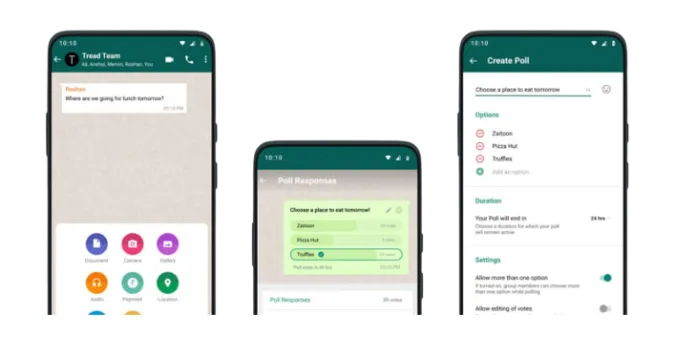
whatsapp-poll

3 Ways to Fix WhatsApp Poll Not Showing [Solved]

Today, we’re focusing on a common issue that some WhatsApp users encounter – the mysterious case of the disappearing poll feature.

You know, when you want to get your friends’ opinions on your next group trip location or which movie to watch, but the WhatsApp poll just isn’t showing up.

But don’t worry; we’ve got you covered.

This blog post provides several troubleshooting methods to get your WhatsApp polls up and running quickly. Let’s dive right in.

Fun Fact: To prevent someone from monitoring your WhatsApp chats, use strong device security measures like passcodes and biometric locks, be cautious of suspicious links or downloads, and avoid sharing your device or leaving it unattended to prevent unauthorized access.

How to Fix WhatsApp Poll Not Showing and Not Working

Here are the three (3) methods you can try;


Method 1: Updating Group Settings

Another reason you might not see the poll option in your WhatsApp group could be the group settings. In some groups, only admins are allowed to create polls.

If you aren’t an admin in the group where you’re trying to create a poll, this could be the root of the issue.

Follow these steps to check the group settings:

  • Open the WhatsApp group where you’re trying to create a poll.
  • Tap on the group name at the top to open ‘Group Info.’
  • Scroll down and select ‘Group Settings.’
  • Check ‘Send Messages.’ If it’s set to ‘Only Admins,’ only group admins can create polls.

If you’re not an admin, you can request one to change the settings or create the poll.


Method 2: Clearing App Cache

Sometimes, temporary files and data stored by the app, known as cache, can cause minor glitches and prevent certain features from working properly.

If the first two methods didn’t solve the problem, clearing your WhatsApp cache might do the trick.

Please note that clearing cache will NOT delete your messages or call logs. It only removes temporary files and saved settings.

Here’s how you can clear your WhatsApp cache:

  • Go to Settings on your device.
  • Select ‘Apps’ or ‘Applications.’
  • Scroll down and find ‘WhatsApp,’ then tap on it.
  • Select ‘Storage.’
  • Tap on ‘Clear Cache.’

After clearing the cache, open WhatsApp and check if you can see the poll feature now.


Method 3: Checking Your WhatsApp Version

The first and often the simplest method to fix the “WhatsApp poll not showing” issue is to ensure you’re using the latest version of WhatsApp.

Developers continuously update apps to fix bugs, improve performance, and introduce new features. This means that if your app isn’t up to date, some features (like polls) might not work correctly.

Here’s a quick step-by-step guide to check if your WhatsApp is updated:

  • Open your device’s app store (Google Play Store for Android, App Store for iOS).
  • In the search bar, type “WhatsApp” and click on the app from the search results.
  • If you see an “Update” option, it means your app is outdated. Click on “Update” and wait for the process to finish.
  • Once the app is updated, open WhatsApp and try creating a poll in your group chat again.

Frequently Asked Questions (FAQ)

Here are some quick answers to frequently asked questions about the “WhatsApp poll not showing” issue:

Q1. Can I create a poll in a private chat on WhatsApp?

As of now, the poll feature is only available in group chats.

Q2. Why can’t I see the poll feature on my desktop WhatsApp?

Currently, the poll feature is only available in the mobile version of WhatsApp.

Q3. Does clearing cache delete my WhatsApp messages?

No, clearing cache only removes temporary files and saved settings. It does not delete any personal data like messages or call logs.


Conclusion

The “WhatsApp poll not showing” issue can be quite frustrating, especially when you want to use this feature to make group decisions easier and more fun.

However, as we’ve explored, there are several reasons why this might happen and multiple methods you can use to troubleshoot this problem.

Whether it’s a simple app update, tweaking group settings, or clearing your app cache, we hope that one of these methods has helped you resolve the issue and get back to creating polls in your WhatsApp groups.


3 Ways to Fix WhatsApp Poll Not Showing [Solved] Read More »

stop-whatsapp-monitoring

11 Ways to Stop Someone from Monitoring Your Whatsapp Chats

WhatsApp, one of the world’s most popular messaging apps, has brought people closer than ever. However, with increased connectivity comes an increased risk of privacy invasion.

People may try to monitor your WhatsApp conversations but don’t worry; there are ways to stop them.

In this guide, we’ll take you through the proven methods to stop someone from monitoring your WhatsApp, offering in-depth insights into each method.

We’ll also answer frequently asked questions and provide further resources to help ensure your privacy.


How to Identify If Your WhatsApp is Being Monitored

Before you can put a stop to someone monitoring your WhatsApp, you need to be able to recognize the signs that you are being monitored. Here are some indicators you should be aware of:

  • Unexpected Battery Drainage: Excessive battery drain might indicate that your WhatsApp is being monitored. Spy apps can consume a lot of battery power.
  • Increased Data Usage: Similar to battery drainage, an unexplained increase in data usage could also suggest the presence of a spy app.
  • Strange Behavior: If your device is acting strangely – for instance, shutting down randomly, making odd noises, or opening apps on its own – it could be a sign that someone is monitoring your WhatsApp.
  • Unusual Messages: You might start receiving strange messages with codes or symbols. These could be control messages the spy app sends, accidentally visible to you.

Remember: All these signs might also suggest other issues with your device. So, don’t panic. Investigate carefully and take appropriate action.

How to Stop Someone from Monitoring and Tracking Your Whatsapp Conversations

Here are the eleven (11) ways to do so;


Method 1: Use Two-Step Verification

Two-step verification adds an extra layer of security to your WhatsApp account, making it harder for anyone to gain unauthorized access.

Here’s a detailed guide on how you can activate two-step verification:

Step 1: Open WhatsApp and tap on the three dots in the top right corner to open the menu.

Step 2: Select ‘Settings’ from the drop-down menu.

Step 3: In the settings page, tap on ‘Account’.

Step 4: You’ll find the ‘Two-step verification‘ option here. Tap on it.

Step 5: You’ll see a screen explaining what two-step verification is. Tap on the ‘Enable’ button.

Step 6: You will then be prompted to enter a six-digit PIN. This PIN will be required when you register your phone number with WhatsApp. So, make sure it’s something you can remember but also something that’s not easy for others to guess.

Step 7: After confirming your PIN, you’ll be asked to provide an email address. This is used to reset your PIN if you forget it. Ensure you enter an active email address that you have access to.

Step 8: After confirming your email address, two-step verification will be activated.

This process secures your account by requiring the PIN whenever your phone number is being registered with WhatsApp.

So even if someone has your SIM card, they won’t be able to set up your WhatsApp on another device without the PIN.


Method 2: Check Your WhatsApp Privacy Settings

Proactively managing your WhatsApp privacy settings can be an effective way to ensure your account’s security. Below are the steps to adjust these settings:

Step 1: Open WhatsApp and tap on the three dots in the top right corner to open the menu.

Step 2: Tap ‘Settings’ in the menu that appears.

Step 3: In the Settings page, tap ‘Account’, and then select ‘Privacy’.

You will now see several options that you can adjust according to your preferences:

  1. Last Seen: This setting controls who can see the last time you were online on WhatsApp. You can select ‘Everyone’, ‘My Contacts’, or ‘Nobody’.
  2. Profile Photo: Similar to Last Seen, this setting determines who can view your WhatsApp profile picture. The options are ‘Everyone’, ‘My Contacts’, or ‘Nobody’.
  3. About: This option allows you to control who can see your info in your profile’s ‘About’ section.
  4. Status: You can control who sees your status updates. You have additional options here: ‘My Contacts’, ‘My Contacts Except…’, and ‘Only Share With…’.
  5. Read Receipts: When this is turned on, others will know when you’ve read their messages. If you turn it off, you won’t be able to see read receipts from other people either. Note: Read Receipts for group chats can’t be turned off.
  6. Live Location: This setting shows who you share your live location with. You can also stop sharing your live location here.
  7. Blocked Contacts: Here, you can manage the contacts you’ve blocked. You can also add new contacts to your blocked list.

Remember, adjusting these settings to your comfort level can enhance your privacy and reduce the chances of someone monitoring your WhatsApp activity.


Method 3: Avoid Unsecured Wi-Fi Networks

Unsecured Wi-Fi networks can leave your WhatsApp data vulnerable to spyware and other malicious activities. Here are some steps you can take to secure your connection:

Step 1: Understand the Risk Unsecured Wi-Fi networks, especially those in public places, do not require a password to connect. This lack of security makes it easier for cybercriminals to intercept your data or plant spyware on your device.

Step 2: Use Mobile Data When Possible When you need to use WhatsApp or any other application that requires sensitive data, switch to your mobile data. While it’s not impenetrable, mobile data is generally more secure than public Wi-Fi.

Step 3: Use Secure Wi-Fi Networks Always prefer secure Wi-Fi networks that require a password to connect. These networks encrypt your data, making it harder for others to intercept it.

Step 4: Use a VPN A Virtual Private Network (VPN) can help secure your connection even if you have to use an unsecured Wi-Fi network. VPNs encrypt your data and hide your online activities.


Method 4: Keep Your Phone Updated

Keeping your phone and apps updated is critical to maintaining your digital security, including your WhatsApp privacy.

Here’s how you can do this:

For Android Users

Step 1: Open the Settings app on your phone.

Step 2: Scroll down and tap on ‘System’ (your device may say ‘Software Update’).

Step 3: Tap on ‘System updates’ (or ‘Check for updates’).

Step 4: Your device will check for available system updates. If one is available, tap ‘Download and Install’.

For iOS Users

Step 1: Open the Settings app on your iPhone.

Step 2: Scroll down and tap on ‘General’.

Step 3: Tap on ‘Software Update’.

Step 4: If an update is available, tap ‘Download and Install’.

Updating Your WhatsApp App

Regardless of your device type, you can update WhatsApp through your app store (Google Play Store for Android, App Store for iOS). Just search for WhatsApp and tap ‘Update’ if one is available.

Regularly updating your phone and apps ensure you have the latest security patches and performance improvements.

This is an easy and effective way to prevent someone from monitoring your WhatsApp account.


Method 5: Install Reliable Security Apps

Security applications can be an effective line of defense against spyware, malware, and other threats. Let’s dive into how you can leverage these apps to help secure your WhatsApp account:

Step 1: Choose a Reliable Security App There are numerous security apps on the market. Opt for reputable names like Norton, McAfee, or Avast. These companies have been in the security industry for a long time and have a proven track record.

Step 2: Download and Install the Security App Go to your device’s app store (Google Play Store for Android, App Store for iOS) and search for the security app of your choice. Tap ‘Install’ to download and install the app.

Step 3: Set Up the Security App Once installed, open the app and follow the instructions to set it up. This usually involves giving the app certain permissions to protect your device adequately.

Step 4: Run Regular Scans Most security apps can scan your device. Make it a habit to do this regularly to check for any potential threats.

Step 5: Keep the Security App Updated Like any other app, ensure your security app is always up-to-date. Regular updates will provide the latest security patches and features.


Method 6: Spoof Your GPS and Disable Location Services

Your location data can reveal a lot about your habits and routines, which can be useful information for someone trying to monitor you.

You can spoof your GPS and disable location services to prevent someone from tracking your WhatsApp location. Here’s how:

Spoofing Your GPS

GPS spoofing involves tricking your device into thinking it’s in a different location. This requires a GPS spoofing app.

One of the popular ones is ‘Fake GPS Location’ for Android. A similar app is called ‘iTools’ from ThinkSky for iPhone users.

Step 1: Download and install your chosen spoofing app.

Step 2: Open the app and select a location on the map where you want your device to appear to be.

Step 3: Activate the spoofing feature.

Please note that this may not work on all devices, and some apps might stop working properly with this setting activated. Always use this with caution.

Disabling Location Services

For Android Users

Step 1: Open the Settings app on your phone.

Step 2: Tap on ‘Location’.

Step 3: Use the toggle at the top of the screen to turn off location services.

For iOS Users

Step 1: Open the Settings app on your iPhone.

Step 2: Scroll down and tap on ‘Privacy’.

Step 3: Tap on ‘Location Services’.

Step 4: Use the toggle at the top of the screen to turn off location services.

Spoofing your GPS and disabling location services can make it harder for someone to track your location through WhatsApp or any other app.


Method 7: Close All Linked Devices on WhatsApp Web

WhatsApp Web is a convenient way to access your WhatsApp account from a computer.

However, it can also pose a security risk if someone gains access. Here’s how to close all linked devices on WhatsApp Web:

Step 1: Open WhatsApp on Your Phone Tap on the WhatsApp app on your mobile device to open it.

Step 2: Go to WhatsApp Web Settings On Android, tap the three vertical dots in the upper right corner and select ‘WhatsApp Web’. On iOS, tap ‘Settings’ at the bottom of the screen and choose ‘WhatsApp Web/Desktop’.

Step 3: Log Out from All Devices Here, you’ll see a list of all the devices where your WhatsApp is currently active. Tap ‘Log out from all devices’ to ensure your WhatsApp account is not open on any other devices.

Step 4: Confirm Your Decision WhatsApp will ask for confirmation before proceeding. Tap ‘Log out’ to confirm.


Method 8: Use a VPN Service

A Virtual Private Network (VPN) service can provide additional security to your online activities, including WhatsApp usage.

Here’s how you can leverage a VPN for your WhatsApp account:

Step 1: Choose a VPN Service There are many VPN services available, both free and paid. Some popular options include ExpressVPN, NordVPN, and CyberGhost. Select a service that respects your privacy and doesn’t log your activities.

Step 2: Download and Install the VPN App Once you’ve chosen a VPN service, download the app from your device’s app store (Google Play Store for Android, App Store for iOS).

Step 3: Set Up and Connect to the VPN Open the VPN app and follow the instructions to set it up. This usually involves creating an account and choosing a server to connect to.

Step 4: Maintain Your VPN Connection. While using WhatsApp, ensure your VPN is active. This will hide your real IP address and encrypt your internet connection, making it much more difficult for someone to monitor your WhatsApp usage.

Note: Use a VPN can sometimes slow down your internet connection due to the encryption process. Choose a VPN with high-speed servers to minimize this impact.


Method 9: Avoid Sharing Your Phone with Strangers

In today’s world, our smartphones contain a wealth of personal information.

Handing your phone to a stranger can expose your WhatsApp and other sensitive data to potential threats. Here’s how to stay safe:

Step 1: Never Hand Over Your Phone Unlocked

If for any reason you have to give your phone to someone else, make sure it’s locked. Your phone’s lock screen is the first line of defense against unauthorized access.

Step 2: Use Screen Pinning (For Android Users)

Android phones have a feature called ‘Screen Pinning’ that allows you to lock your phone to a single app before handing it over. To enable this feature, go to ‘Settings’ > ‘Security’ > ‘Screen Pinning’ and turn it on.

When handing over your phone, open the app you want to pin, tap the square (overview) button, and then the pin icon.

Step 3: Use Guided Access (For iOS Users)

Similar to screen pinning on Android, iOS devices have a feature called ‘Guided Access’. It allows you to lock your iPhone to a single app. To enable it, go to ‘Settings’ > ‘General’ > ‘Accessibility’ > ‘Guided Access’.

Turn it on and set a passcode. To start a Guided Access session, open the app you want to lock, triple-click the Home button (or the side button on iPhone X and newer), and tap ‘Start’.

Step 4: Be Mindful of Bluetooth and Other Wireless Connections

If you’ve paired your phone with another device via Bluetooth, NFC, or other wireless technology, disconnect and forget the device once you’re done using it.


Method 10: Change Your WhatsApp Phone Number

In some extreme cases, you might find it necessary to change your WhatsApp phone number or perform a factory reset on your device. Let’s discuss each method in detail:

Changing Your WhatsApp Phone Number

Step 1: Open WhatsApp and tap the three dots in the upper right corner.

Step 2: Tap on ‘Settings’, then select ‘Account’.

Step 3: Tap ‘Change number’. This will begin changing the phone number associated with your WhatsApp account.

Step 4: Follow the on-screen instructions to complete the process. You’ll need to verify your new phone number, so make sure it’s one you can access.


Method 11. Do a Factory Reset

Performing a Factory Reset

Before you perform a factory reset, back up any important data, as this process will wipe everything from your device.

For Android Users

Step 1: Open the Settings app on your device.

Step 2: Scroll down and tap ‘System’, then tap ‘Reset’.

Step 3: Tap ‘Erase all data (factory reset)’.

Step 4: Follow the on-screen instructions to complete the process.

For iOS Users

Step 1: Open the Settings app on your device.

Step 2: Tap ‘General’, scroll down and then tap ‘Reset’.

Step 3: Tap ‘Erase All Content and Settings’.

Step 4: Follow the on-screen instructions to complete the process.

While these are more extreme measures, changing your WhatsApp number or performing a factory reset can ensure that any potential monitoring tools are completely removed from your device.


Frequently Asked Questions (FAQ)

This section addresses some of the most commonly asked questions about stopping someone from monitoring your WhatsApp.

Q1: Can I block someone from tracking me through WhatsApp?

Yes, by implementing methods such as two-step verification, regularly updating your phone, and using a VPN, you can significantly reduce the chances of someone tracking you through WhatsApp. If you suspect a specific person is tracking you, blocking them on WhatsApp may also help.

Q2: Can WhatsApp messages be monitored?

While WhatsApp messages are end-to-end encrypted, meaning only the sender and receiver can read them, there are ways for messages to be monitored. If your phone is compromised by spyware, the attacker could read your messages. Always ensure your phone’s security to prevent such scenarios.

Q3: What should I do if someone monitors my WhatsApp?

If you suspect someone is monitoring your WhatsApp, start by checking your WhatsApp privacy settings and ensuring two-step verification is enabled. Avoid using unsecured Wi-Fi networks, keep your phone updated, and consider installing reliable security apps. If the issue persists, consult a cybersecurity professional.

Q4: How can I tell if my WhatsApp is being monitored?

Some signs that your WhatsApp might be monitored include unexpected battery drain, phone operating slowly, unusual data usage, or if you receive messages from unknown contacts. If you notice these signs, follow our guide to secure your WhatsApp.

Q5: Can a third-party app monitor my WhatsApp?

Yes, there are third-party apps designed to monitor WhatsApp messages. However, they require physical access to your phone to be installed. Always lock your phone and avoid sharing it with strangers to prevent such scenarios.


Conclusion

Securing your WhatsApp and ensuring your conversations remain private isn’t as daunting as it may seem.

Following the methods we’ve detailed in this guide, you can protect your privacy and stop someone from monitoring your WhatsApp account.

From the basics like enabling two-step verification and tweaking your privacy settings to more advanced steps, like spoofing your GPS location, disabling all location services, and even performing a factory reset, each method has its place in ensuring your WhatsApp security.

But remember, the most effective way to keep your WhatsApp secure is to remain vigilant, routinely check your privacy settings, and be cautious about who has access to your phone.


11 Ways to Stop Someone from Monitoring Your Whatsapp Chats Read More »

tracking-whatsapp-to-another-phone

5 Ways to Track Whatsapp Chats on Another Phone [Secretly]

Ever wondered if it’s possible to track WhatsApp chats on another phone? While the concept might sound like it’s straight out of a spy movie, a few methods can make it a reality.

Whether you’re a concerned parent wanting to keep tabs on your children’s online activities or you’ve lost your phone and need to access your messages remotely, this guide is here to assist.

We’ll explore five effective ways to track WhatsApp chats on another phone, walking you through each step so you can easily navigate this process.

But remember, these methods should only be used responsibly and ethically.


How to Track WhatsApp Chats on Another Phone Without Them Knowing?

Here are the five (5) methods you can use;


Method 1: Using WhatsApp Web

This method is essentially using WhatsApp’s official web-based application, WhatsApp Web.

It’s a handy tool that mirrors the WhatsApp application from a phone to a computer. Here’s a more detailed guide on how you can use it:

  • Ensure you have a stable internet connection on your phone and computer.
  • Open the WhatsApp application on the phone whose chats you want to track.
  • Tap on the three dots at the top right corner, then select ‘WhatsApp Web.’
  • Open a web browser on your computer and go to ‘web.whatsapp.com.’
  • You’ll see a QR code on your computer screen. Scan this QR code with the phone.
  • The WhatsApp account is now mirrored onto the computer, and you can see the chats and messages in real-time.

Remember, this method requires the phone to be connected to the internet for WhatsApp Web to work.

Also, note that if the person whose chats you’re tracking checks their WhatsApp Web, they can see that their account is active on another device.


Method 2: Third-Party Tracking/Monitoring Apps

Another way to track WhatsApp chats on another phone is by using third-party tracking apps. Several on the market are designed to help parents monitor their children’s online activity or help track lost or stolen devices.

Here are the two top parental control apps that offer WhatsApp monitoring capabilities:

  • mSpy: A comprehensive parental control app, mSpy allows you to monitor WhatsApp messages, multimedia, and the time stamps of each message sent or received. Beyond WhatsApp, it also offers tracking capabilities for calls, SMS, GPS location, and other social media apps. mSpy is known for its user-friendly interface and robust customer support.

  • FlexiSPY: Another powerful tool for parental control, FlexiSPY offers similar features to mSpy, including WhatsApp chat tracking, call logs, and multimedia monitoring. FlexiSPY’s call interception feature sets it apart, which lets you listen in on live calls. However, note that some features require rooting the device, which could void the warranty.

Please remember that choosing a reputable app that respects privacy and data security is essential. Some apps have access to sensitive information, so it’s crucial to use them responsibly.


Method 3: Phone Cloning

Phone cloning might be the answer if you’re looking for a more comprehensive solution.

This method essentially creates a duplicate of the target phone, including WhatsApp chats. But be warned, it’s a little technical and could be seen as invasive.

Here’s how it works:

  • Obtain a blank SIM card. This will become the clone.
  • You’ll also need a SIM cloning tool. Devices like the MagicSIM are popular.
  • Insert the original SIM card into the cloning tool, followed by the blank SIM.
  • Run the software provided with the cloning tool to copy the data from the original SIM to the blank one.
  • Insert the cloned SIM into a phone, and you’ll have access to all the WhatsApp chats.

Here are the two prominent phone cloning tools that could help you track WhatsApp chats:

  • dr.fone – Phone Clone: dr.fone is a versatile tool with a phone cloning feature that allows you to clone all the data from one phone to another. This includes WhatsApp messages, contacts, photos, and even apps. The tool supports Android and iOS devices and offers an intuitive interface, simplifying the process.

  • MOBILedit Forensic Express: MOBILedit is a professional tool used in forensic investigations, but it also provides an efficient way to clone a phone. It extracts all data from a phone and transfers it to another device, including WhatsApp messages. However, its advanced capabilities make it a bit more complex to use and more suited for tech-savvy users.

Method 4: Using Wi-Fi Network Logs

If you’re a little tech-savvy and have access to the same Wi-Fi network as the target phone, you can track WhatsApp chats through Wi-Fi network logs.

This method intercepts data packets as they are transmitted over the network. Here’s a step-by-step guide:

  • Install a packet sniffer application, such as Wireshark, on your computer.
  • Connect your computer to the same Wi-Fi network as the target phone.
  • Launch the packet sniffer application and start capturing data packets from the network.
  • Look for packets originating from the target phone and sent to WhatsApp’s servers.

While this method doesn’t directly give you access to the content of the WhatsApp chats, it can provide insights about the timing and frequency of messages.

Please note, this method requires a deep understanding of networks and data packets, and it may not be suitable for everyone.


Method 5. WhatsApp Backup Extractor

These backup extractor tools are designed to extract and read WhatsApp backup files, which typically contain all messages, photos, and videos exchanged on the app.

Here’s a general idea of how this might work:

  • Access the backup file: You’ll first need access to the phone to obtain the backup file. For Android devices, this is usually stored on Google Drive, while for iOS devices, it’s stored on iCloud.
  • Extract the data: Using a tool like Elcomsoft Explorer for WhatsApp or iPhone Backup Extractor, you can extract and decipher the data in the backup file. This will give you access to all the chat history up until the time of the last backup.

Please note that this method requires advanced technical knowledge and can be time-consuming. Additionally, you’ll need the login credentials for the associated Google Drive or iCloud account, which makes it far less practical in most circumstances.


Frequently Asked Questions (FAQs)

Now that we’ve explored various methods of tracking WhatsApp chats on another phone, let’s address some common questions you may still have.

Q1. Is it legal to track someone’s WhatsApp chats?

It depends on the context. In most jurisdictions, tracking someone’s WhatsApp chats without their consent is illegal. Respecting privacy rights and obtaining necessary permissions before using any tracking methods is crucial.

Q2. Can WhatsApp chats be monitored without the phone being rooted?

Yes, certain third-party tracking apps like mSpy and Spyzie can monitor WhatsApp chats without requiring the target phone to be rooted or jailbroken. However, some features might be limited.

Q3. Can I see deleted WhatsApp chats on the target phone?

Yes, some tracking apps can retrieve and display deleted WhatsApp messages. However, this typically requires the tracking app installed before the messages were deleted.

Q4. Can I track WhatsApp chats in real time?

Yes, real-time tracking is possible with some advanced tracking apps. They can provide updates when a message is sent or received on the target device.


Conclusion

Exploring the landscape of digital communication, it’s fascinating to see how various methods can be employed to track WhatsApp chats on another phone.

From third-party tracking apps and network sniffing to phone cloning and even leveraging WhatsApp Web, technology offers a myriad of possibilities.

However, it’s crucial to recognize that these tools and techniques, while intriguing, also require a certain level of technical proficiency and understanding to be effectively implemented.

Not all methods are straightforward, and some may demand substantial technical knowledge.


5 Ways to Track Whatsapp Chats on Another Phone [Secretly] Read More »

can-whatsapp-be-traced-after-deleted

Can Whatsapp Messages Be Traced by Police Once Deleted?

In the world of ever-evolving technology, questions about privacy, data security, and legality are at the forefront.

One of this realm’s most frequently asked questions is, “Can WhatsApp messages be traced by police once deleted?

This question stems from growing concerns around cyber security and personal privacy. If you’ve pondered this question, you’re in the right place.

In this blog post, we’ll delve into the complexities of WhatsApp encryption, and the possibilities of digital forensics and discuss the legal implications surrounding the traceability of deleted WhatsApp messages.


Quick Answer: Can Deleted WhatsApp Messages Be Traced by the Police?

Yes and no. The ability to trace deleted WhatsApp messages depends largely on the circumstances and tools.

While WhatsApp employs end-to-end encryption, meaning only the sender and receiver can read the messages, there are still ways that the messages might be retrieved once deleted.

Remember, tracing messages is a complex process that often requires a legal warrant, and the technology and means available to the police can vary by country and jurisdiction.

How Can Police Trace Deleted WhatsApp Messages?

Here are the five (5) different ways they can do so;


Method 1: Using Forensic Tools

Forensic tools are used to retrieve digital data deleted or lost from devices. These tools scan the device’s memory to find the ‘deleted’ data, which often still exists but is marked as ‘overwritable.’

Until new data overwrite the data, it can potentially be recovered. This is why a device from which data needs to be recovered is usually immediately isolated to prevent further data writing and potential overwriting of the needed information.

Remember, though, using such tools for unauthorized data recovery is illegal. Only authorized personnel, such as law enforcement officers with a legal warrant, can use these tools for data recovery.

Cellebrite UFED

Cellebrite is a powerful digital forensic tool that law enforcement and legal professionals often use to recover deleted WhatsApp messages.

When it comes to WhatsApp, Cellebrite can extract data from the device’s storage, including chat logs, media files, and metadata.

Even if users delete their messages or uninstall the app, remnants of the conversations may still remain on the device.

Can forensic retrieve deleted WhatsApp messages?

It’s possible, but it’s not guaranteed. Success depends on many factors, including the device type, how long ago the message was deleted, and whether the data has been overwritten.

Read more about the Guide to Digital Forensics and the best forensic tools frequently used by experts in this field. 

Method 2: Through Backups on Cloud Services

WhatsApp allows its users to back up their chats on cloud services like Google Drive for Android users or iCloud for iPhone users.

While these backups can be incredibly convenient for restoring your messages when you change your phone, they also provide another avenue for message tracing.

When messages are backed up to the cloud, they are no longer protected by WhatsApp’s end-to-end encryption.

This means that theoretically, with the appropriate legal permissions, law enforcement agencies could approach the cloud service providers to access these backups and potentially retrieve deleted messages.

Here’s a quick guide on how to download your WhatsApp backup from Google Drive:

  • First, ensure you’ve backed up your WhatsApp messages on Google Drive. You can do this by going to WhatsApp > Settings > Chats > Chat backup > Back Up Now.
  • Once you’ve ensured your messages are backed up, uninstall and reinstall WhatsApp on your device.
  • WhatsApp will prompt you to restore your chats from a backup during installation.
  • Tap ‘Restore’, and WhatsApp will download your backup from Google Drive.
  • After the restoration process, your chats should appear in your WhatsApp.

Remember to use the same phone number, and Google account you used to create the backup. Also, remember that WhatsApp’s end-to-end encryption does not protect WhatsApp backups on Google Drive.

Can police find deleted messages from WhatsApp?

If the deleted messages are present in a cloud backup, it’s plausible that they could be retrieved. However, it’s important to remember that this action requires a warrant or legal permission.


Method 3: From the Other Party’s Phone and Network Providers

Sometimes, the most straightforward way to retrieve a deleted message is to ask the message recipient if they still have the message on their phone.

Of course, this approach would depend on the goodwill of the recipient and would not be applicable in a legal situation without proper authorizations.

With the appropriate legal permissions, law enforcement agencies might also approach network providers for assistance.

While network providers can’t see the content of WhatsApp messages due to encryption, they might be able to provide metadata.

Metadata is data about data – for example, who was contacted, when, and how often, but not the content of the conversations.

Can deleted WhatsApp be traced?

Under certain circumstances, and with the right permissions, retrieving some information about deleted WhatsApp messages from network providers or the other party’s phone might be possible.


Method 4: Through WhatsApp Web

WhatsApp Web is a practical mobile application extension that allows users to access their WhatsApp account on a computer.

Your conversations on the web client are mirrored from your mobile device. This means all messages are still live on your phone.

When tracing, if a user has been using WhatsApp Web, it could provide another potential avenue for retrieving deleted messages.

If a conversation occurred while the user was logged into WhatsApp Web, a copy of it might still exist in the web browser’s cache, even if it was deleted from the phone.

However, accessing this information wouldn’t be straightforward. It would likely require sophisticated forensic tools and the knowledge to use them.

Also, like with other methods, legal permission would be needed to investigate in this manner.


Method 5: Using Data Recovery Tools

Data recovery tools are software programs designed to help recover lost or deleted data from your device. They scan your device’s memory for data marked as deletable but not yet overwritten.

These tools can often recover different types of data, such as photos, videos, messages, and more. Some of these tools offer specific features for recovering deleted WhatsApp messages.

However, the success of these tools can vary based on several factors, including how recently the data was deleted, and how much new data has been written on the device since the deletion.

While there are numerous data recovery tools available, here are two popular and highly-rated options, one each for iOS and Android devices:

  • Dr.Fone – Recovery & Transfer wirelessly & Backup (Android & iOS): This data recovery tool claims to recover deleted messages on WhatsApp, among other data types. It’s designed for users who have accidentally lost and wish to retrieve data. It supports both Android and iOS devices.

  • Tenorshare UltData (Android & iOS): This tool also provides a feature specifically for recovering WhatsApp chats. It supports both Android and iOS devices, and claims to have a high recovery rate.

Frequently Asked Questions (FAQs)

Q1: Can police find deleted messages from WhatsApp?

Yes, in certain circumstances.

With appropriate legal permissions, law enforcement may retrieve deleted WhatsApp messages through backups, the recipient’s device, network providers, data stored on the device itself, or WhatsApp Web.

Q2: Can forensic retrieve deleted WhatsApp messages?

Forensic experts can retrieve deleted WhatsApp messages from the device’s memory using specialized tools.

This is based on the principle that when a message is deleted, it’s not immediately erased from memory but marked as overwriteable.

Q3: Can deleted WhatsApp be traced?

In some situations, yes. It may be possible to trace deleted messages through methods like data recovery from the device’s memory, accessing backups, or checking the recipient’s device.

However, each method has limitations and requires appropriate legal permissions.


Conclusion

Whether the police can trace WhatsApp messages once deleted is complex.

Technically, it is possible in some scenarios through methods like retrieving backups, checking the recipient’s device, investigating network provider metadata, analyzing data stored on the device itself, and looking into WhatsApp Web usage.

However, legal and ethical considerations play a massive role in this. Privacy laws protect users from unauthorized access to their personal messages, including those deleted.

Any attempts to trace or retrieve these messages would typically require a legal warrant and must operate within local and international law boundaries.

User privacy is paramount, and while law enforcement agencies are mandated to protect public safety, they must always respect personal privacy rights.

So, while the short answer to whether deleted WhatsApp messages can be traced is ‘yes,’ the practicality and legality of doing so depend on numerous factors.

These factors make the process far more complex than it might initially seem.

Don’t forget to check out our other guides on related topics like how to track an online user’s IP address or how to know if you’ve been muted on WhatsApp.


Can Whatsapp Messages Be Traced by Police Once Deleted? Read More »

atlas-vpn-vs-ipvanish

7 Key VPN Features: Atlas VPN and IPVanish [Comparison]

Whether you’re an everyday web user or a tech-savvy individual, the importance of maintaining online privacy and security cannot be overstated.

Given the variety of Virtual Private Network (VPN) services available today, choosing one can be quite a task. We’re here today to compare two popular choices: Atlas VPN and IPVanish.

We’ll examine their speed, security, privacy, pricing, server locations, compatibility, and customer support.

Interested in more VPN comparisons? Check out our other article on Atlas VPN vs Surfshark.

Quick Answer

If you’re short on time and looking for a quick answer, here it is. Both Atlas VPN and IPVanish offer good speeds, strong security, and wide device compatibility.

However, IPVanish has a slight edge with its robust customer support and extensive server network.

On the other hand, Atlas VPN offers a better pricing structure, making it more cost-effective.


Atlas VPN vs. IPVanish: An Overview

When it comes to maintaining internet privacy and securing data, VPNs are the go-to choice. Today, we’ll explore two well-respected players in this realm, Atlas VPN and IPVanish.

Atlas VPN is a newer addition to the VPN market, with an attractive pricing structure and impressive encryption capabilities.

It has a simple, user-friendly interface that appeals to VPN beginners and those looking for straightforward, efficient privacy protection.

On the other hand, IPVanish is a veteran in the VPN world, offering robust security and an extensive server network.

Its strong reputation in the VPN space is backed by advanced features and high-performance capabilities, making it an excellent option for more experienced users and those with demanding VPN needs.

Both VPNs have their strengths and weaknesses, and the choice between them depends on your specific needs, whether streaming content, bypassing geo-restrictions, securing your data, or a mix of all three.

Interested in more VPN comparisons? Check out our other article on Atlas VPN and CyberGhost.

Atlas VPN vs. IPVanish: Comparison

Let’s dive into a detailed feature comparison to help you make the best choice.


Feature 1: Speed

Speed is a significant factor in the world of VPNs as it impacts your overall online experience, from browsing to streaming.

Atlas VPN provides decent speeds that comfortably handle regular browsing and HD streaming. However, remember that speed can vary based on your location and the server you connect to.

IPVanish stands out in this area. It consistently delivers high-speed connections, which makes it a top choice for data-intensive tasks such as 4K streaming, online gaming, or large file downloads.

The provider also offers unlimited bandwidth, meaning you can enjoy these speeds without any restrictions.

The winner in terms of speed? IPVanish takes the crown, with its reliable, high-speed connections and unlimited bandwidth. But if your online activities involve standard browsing or HD streaming, Atlas VPN should serve you just fine.


Feature 2: Security

Security is the cornerstone of any VPN service. Let’s see how Atlas VPN and IPVanish stack up.

Atlas VPN provides strong security features. It uses AES-256 encryption, the same standard the U.S. government uses for secure communications.

This makes it virtually impossible for anyone to decipher your data. Additionally, Atlas VPN offers a strict no-logs policy, ensuring that your online activities stay private.

IPVanish also employs robust AES-256 encryption to protect your data. It boasts an automatic kill switch feature, instantly cutting your internet connection if the VPN connection drops, preventing data leakage.

IPVanish, too, maintains a stringent no-logs policy.

In terms of security, it’s a tie. Both VPNs provide robust security features to protect your online privacy and data. But remember, always stay vigilant online, even when using a VPN, as no security measure is entirely foolproof.


Feature 3: Privacy

Privacy is another key element to consider when choosing a VPN. Let’s explore what Atlas VPN and IPVanish bring to the table.

Atlas VPN, being based in the United States, is under the jurisdiction of the Five Eyes alliance, an intelligence-sharing agreement among several countries.

However, its stringent no-logs policy ensures that your data isn’t stored or shared, thus providing a solid level of privacy.

IPVanish, also U.S.-based, faces the same jurisdictional considerations. Yet, they also adhere to a strict no-logs policy, meaning they don’t record your online activities.

Additionally, IPVanish allows anonymous payment methods like Bitcoin, which can enhance user privacy.

Both VPNs prioritize user privacy, evidenced by their no-logs policies. While jurisdictional considerations are important, the privacy policies of these services provide a level of assurance to users concerned about their online privacy.


Feature 4: Pricing

Budget is often a key factor when deciding on a VPN service. Let’s delve into how Atlas VPN and IPVanish compare on pricing.

Atlas VPN offers a cost-effective pricing structure. It provides a free version with limited features for those who want to try out their service.

Their premium plans, while inexpensive compared to other VPN services, still offer comprehensive features and capabilities.

IPVanish, on the other hand, comes with a slightly higher price tag. Although it doesn’t offer a free version, it does provide a 30-day money-back guarantee on all its plans.

The price you pay fetches you an extensive range of features and excellent performance.

Regarding pricing, Atlas VPN stands out with its budget-friendly options and free version. However, if you’re looking for a comprehensive set of features and are willing to pay a little more, IPVanish might be the right fit.


Feature 5: Server Locations

The number and spread of server locations can greatly influence a VPN’s performance and its ability to bypass geo-restrictions.

Atlas VPN has servers spread across 30+ countries worldwide. Although the number of server locations is not as extensive as some other VPNs, they’re smartly distributed to ensure a decent coverage.

IPVanish, with its large network of 1,600+ servers in over 75 locations worldwide, provides a broader geographical coverage.

This extensive network increases the likelihood of finding a nearby server (which can mean better speed), and improves your chances of accessing geo-restricted content.

In terms of server locations, IPVanish is the clear winner. A larger and more widespread server network generally means better speed, reliability, and a greater ability to unblock geo-restricted content. But Atlas VPN’s server network might suffice for users with modest VPN needs.


Feature 6: Compatibility

The compatibility of a VPN with different operating systems and devices can significantly affect your experience.

Atlas VPN has wide compatibility, offering dedicated Android, iOS, macOS, and Windows apps.

You can use the service on an unlimited number of devices simultaneously, which is a definite advantage if you want to protect all your devices, or share your subscription with others.

IPVanish supports a wide range of platforms, too, including Windows, macOS, Android, iOS, and even Amazon Fire TV. Much like Atlas VPN, IPVanish also offers unlimited simultaneous connections.

In terms of compatibility and simultaneous connections, it’s a tie between Atlas VPN and IPVanish. Both VPNs offer broad device compatibility and allow you to simultaneously use the service on an unlimited number of devices. This flexibility can be beneficial if you own multiple devices or plan on sharing your VPN service with others.


Feature 7: Customer Support

Good customer support can be a lifesaver when you encounter issues or have queries about the VPN service.

Atlas VPN offers customer support primarily through email and a well-structured FAQ section on their website. While the lack of live chat support might be a turn-off for some, they are generally prompt in responding to email queries.

IPVanish shines in the customer support department, offering 24/7 live chat support, email support, and a comprehensive knowledge base on their website.

The availability of live chat support ensures you can get immediate assistance when needed.

In terms of customer support, IPVanish takes the lead with its 24/7 live chat feature. Getting instant responses to your queries can significantly enhance your overall VPN experience. However, Atlas VPN still provides reliable support, albeit without the immediacy of live chat.


Frequently Asked Questions (FAQ)

Q1. Which VPN is faster, Atlas VPN or IPVanish?

IPVanish generally offers faster speeds and is a better choice for data-intensive tasks like online gaming or 4K streaming. However, Atlas VPN also provides decent speeds suitable for regular browsing and HD streaming.

Q2. Are Atlas VPN and IPVanish secure?

Yes, both Atlas VPN and IPVanish employ robust security measures, including AES-256 encryption and strict no-logs policies, to protect your online data and privacy.

Q3. Which VPN offers better value for money?

Atlas VPN offers more budget-friendly plans and a free version with limited features. IPVanish, while a bit pricier, offers an extensive range of features and excellent performance.

Q4. Can I use Atlas VPN or IPVanish on multiple devices?

Yes, Atlas VPN and IPVanish offer unlimited simultaneous connections, allowing you to use the service on multiple devices simultaneously.

Q5. Do Atlas VPN and IPVanish work with Netflix?

Both VPNs can bypass geo-restrictions and allow access to Netflix libraries from different regions. However, the available regions and performance might vary based on your location and the server you connect to.


Conclusion

Choosing between Atlas VPN and IPVanish depends on your specific needs and preferences. Atlas VPN offers a budget-friendly option with a user-friendly interface, solid security features, and a free version.

On the other hand, IPVanish provides high-speed connections, a broad server network, robust customer support, and advanced features for a slightly higher price.

Both VPNs offer strong security, privacy, and wide device compatibility, making them reliable for protecting your online activities.

The key is to identify your specific VPN needs, be it streaming, security, speed, or cost, and select a VPN that best caters to those requirements.


7 Key VPN Features: Atlas VPN and IPVanish [Comparison] Read More »

atlasvpn-vs-surfshark

7 Key VPN Features: Atlas VPN and SurfShark [Compared]

Welcome to the ultimate showdown between two of the most acclaimed VPN services on the market: Atlas VPN and Surfshark.

In the digital realm, cybersecurity is paramount, and VPNs or Virtual Private Networks have risen to prominence as indispensable tools for maintaining online privacy and security.

We’ll delve into both of these services, comparing the standout features, analyzing their strengths and weaknesses, and providing you with all the information you need to make an informed choice.

Which one will emerge victorious in the VPN battle? Read on to find out.


Quick Answer: Atlas VPN vs Surfshark

If you’re in a rush and need a quick answer, here it is: both Atlas VPN and Surfshark are top-tier VPN services, but they each shine in their unique ways.

FeaturesAtlas VPNSurfshark
1. Speed and PerformanceGood, but can vary depending on the server location.Excellent, with high-speed servers globally.
2. Server LocationsLimited number of locations.Extensive global coverage with over 3200 servers in 65 countries.
3. SecurityStrong security with AES-256 encryption and supports OpenVPN and WireGuard protocols.Advanced security features, including MultiHop and CleanWeb. Also uses AES-256 encryption and supports OpenVPN and WireGuard protocols.
4. Unblocking AbilitiesGood for unblocking popular streaming platforms, but not as effective as Surfshark.Exceptional, with ability to unblock a wide range of global content, including various Netflix libraries.
5. Privacy PoliciesStrict no-logs policy, based in the U.S.Strict no-logs policy, based in privacy-friendly jurisdiction (British Virgin Islands), and undergoes independent audits.
6. Customer SupportOffers email support and has a detailed FAQ section, but lacks live chat support.24/7 live chat support and comprehensive online resources.
7. PricingMore affordable with free tier available.Slightly higher priced, but offers great value for its advanced features and unlimited device connections.

What is a VPN and Overview of Atlas VPN and Surfshark

A VPN, or Virtual Private Network, is crucial for anyone seeking to enhance their online privacy and security.

Establishing a secure, encrypted connection between your device and a VPN server makes your online activities unreadable to outside observers.

This includes your ISP (Internet Service Provider), potential hackers, or even government surveillance agencies.

Now, let’s briefly introduce our contenders: Atlas VPN and Surfshark.

Atlas VPN is a relative newcomer to the VPN market but has quickly gained a reputation for its budget-friendly plans and user-centric design.

While it may not boast as many features as some of its competitors, the ones it does provide are robust and effective.

Surfshark, despite being a young entrant, has made a significant splash in the VPN industry. Known for its all-rounded capabilities, it offers a feature-rich package, high-speed servers, and an unwavering commitment to user privacy.


Comparison Between Atlas VPN vs. SurfShark

Let’s dive deeper into their specific features;


Feature 1: Security

Security is a paramount concern when choosing a VPN service. Both Atlas VPN and Surfshark take this seriously and employ robust protocols to ensure your data stays encrypted and secure.

Atlas VPN employs AES-256 encryption, widely considered the gold standard in data encryption. It also offers SafeSwap – a unique feature that regularly changes your IP address for added anonymity.

Surfshark matches Atlas VPN with its AES-256-GCM encryption and provides MultiHop – a feature that routes your connection through two servers for increased security. It also has a CleanWeb feature that blocks malware, ads, and trackers.

Though both services have top-notch security protocols, Surfshark’s wider array of features give it a slight edge in this category.


Feature 2: Speed

A VPN’s speed is vital, especially if you’re into streaming, gaming, or regular large data transfers.

In terms of speed, Surfshark shines brightly. Its high-speed servers ensure minimal loss in connection speed, meaning you can browse, stream, and download almost as fast as your standard connection would allow.

While not as speedy as Surfshark, Atlas VPN still delivers a commendable performance. Most users report a relatively small decrease in speed when connected to Atlas VPN, which is impressive given its lower price point.

So, if speed is your top priority, Surfshark might be the more fitting choice. However, Atlas VPN’s speed is more than sufficient for casual users.


Feature 3: User Experience, Server Locations and Streaming Services

The user experience is another critical factor when choosing a VPN. Both Atlas VPN and Surfshark have user-friendly interfaces and easy setup processes.

However, Atlas VPN has a slight edge in terms of simplicity and ease of use, making it a great choice for VPN beginners.

On the other hand, Surfshark has a more extensive global server network. This means you have a wider selection of locations to connect to, which can be beneficial for bypassing geo-blocked content.

Surfshark also excels in its ability to access a variety of streaming services from different countries.

If a simplistic user interface is more important to you, Atlas VPN would be a suitable option. But for more extensive server coverage and access to global streaming content, Surfshark takes the lead.


Feature 4: Pricing and Customer Support

In terms of pricing, Atlas VPN has an edge over Surfshark. Its lower pricing tiers make it an attractive choice for those looking for a budget-friendly yet reliable VPN service.

It also offers a free version with limited features, which is a nice touch.

Surfshark, while more expensive, offers significant value for its price. It offers a host of advanced features and top-notch performance.

Surfshark also allows unlimited devices to connect simultaneously on a single account, which can add significant value for larger households or small businesses.

When it comes to customer support, both Atlas VPN and Surfshark provide 24/7 support. Surfshark offers live chat, email support, and a comprehensive knowledge base on its website.

Atlas VPN provides email support and a helpful FAQ section on its website.

Therefore, Atlas VPN is the way to go if you’re looking for a more budget-friendly VPN. However, if you value advanced features and don’t mind paying a bit more, Surfshark would be a better choice.


Feature 5: Privacy Policies

The privacy policy of a VPN is another crucial aspect to consider. After all, a VPN’s primary job is to ensure your online privacy.

Both Atlas VPN and Surfshark maintain strict no-logs policies. This means they do not store any information about your online activities while you’re connected to their service.

Surfshark is headquartered in the British Virgin Islands, a country with strong privacy laws and no data retention requirements.

This means Surfshark is not legally obliged to keep any user activity logs. Additionally, they undergo independent audits to ensure the privacy and security of their users.

Atlas VPN is based in the United States, a country within the 5/9/14 Eyes alliance, an intelligence-sharing group of countries.

However, Atlas VPN’s stringent no-logs policy ensures they do not collect any personally identifiable information.

While both services are highly committed to user privacy, Surfshark’s location in a privacy-friendly jurisdiction and their regular independent audits give it a slight edge.


Feature 6: Customer Support

Customer support can make or break a user’s experience with a VPN service. Fortunately, both Atlas VPN and Surfshark understand the importance of solid customer support.

Surfshark offers 24/7 live chat support, an option that’s greatly appreciated when troubleshooting is required immediately.

Additionally, Surfshark provides an extensive knowledge base on its website with guides, FAQs, and more.

On the other hand, Atlas VPN provides responsive email support. However, they don’t offer a live chat option, which might be a drawback for some users who prefer real-time support.

They make up for it with a comprehensive FAQ section on their website, providing solutions for common issues and queries.

While both Atlas VPN and Surfshark offer commendable customer support, Surfshark’s 24/7 live chat gives it a slight advantage for users seeking immediate assistance.


Feature 7: Pricing

When it comes to pricing, the two services differ slightly.

Atlas VPN is known for its competitive pricing and affordability, offering a decent range of features even in its lower pricing tiers.

They also offer a free tier with limited features, which provides an excellent opportunity to try out their service before upgrading to a paid plan.

On the other hand, Surfshark has a slightly higher price point, but it is justified by its extensive features, high performance, and unlimited device connections.

Surfshark is an excellent value-for-money option for larger households or small businesses.

In conclusion, Atlas VPN is the more budget-friendly option, while Surfshark provides great value for a slightly higher price.


Frequently Asked Questions (FAQ)

In this section, let’s address some frequently asked questions about both VPN services:

Q1. Is Atlas VPN good for streaming?

Yes, Atlas VPN is a good choice for streaming. It has reliable performance and can unblock popular streaming services, but it doesn’t offer as many server locations as Surfshark.

Q2. Does Surfshark keep logs?

No, Surfshark maintains a strict no-logs policy. It doesn’t record your online activities, IP addresses, or any personal data.

Q3. Can I use Atlas VPN on multiple devices?

Yes, Atlas VPN offers support for multiple devices. You can use it on your smartphone, tablet, or computer.

Q4. Does Surfshark work with Netflix?

Yes, Surfshark works excellently with Netflix. It can unblock multiple Netflix libraries around the world.

Is Atlas VPN free?

Atlas VPN does offer a free version with limited features. You can upgrade to one of their paid plans for more extensive features.


Conclusion

In conclusion, both Atlas VPN and Surfshark offer excellent features and strong security protocols.

They each have their strengths, with Surfshark taking the lead in speed, server locations, and extra features, while Atlas VPN excels in its simplicity, affordability, and user-friendliness.

Choosing between the two depends on your specific needs and priorities. Are you looking for a more budget-friendly option with a straightforward interface? Then Atlas VPN might be your best bet.

But if you’re looking for high-speed connections, global content accessibility, and a wider range of advanced features, Surfshark might be worth the extra investment.


7 Key VPN Features: Atlas VPN and SurfShark [Compared] Read More »

atlas-vpn-vs-cyberghost

7 Key VPN Features: Atlas VPN and CyberGhost [Compared]

Welcome to our comprehensive comparison of two outstanding VPN services – Atlas VPN and CyberGhost.

Both have earned accolades for their impressive feature sets, ease of use, and commitment to user privacy. But when you’re deciding which one to choose, the devil is in the details.

That’s where we come in, offering a deep dive into the similarities and differences between these two titans of the VPN world.


Quick Answer

For those of you in a hurry, here’s the quick answer.

Both Atlas VPN and CyberGhost offer excellent security, a good range of servers, and competitive prices.

However, Atlas VPN stands out with its unlimited devices policy and intuitive user interface, while CyberGhost shines in its vast server network and advanced feature set like ad-blocking.


Understanding VPNs and An Overview of Atlas VPN and CyberGhost

Before we dive into our detailed comparison, let’s lay down some basics. A Virtual Private Network (VPN) is a tool that encrypts your internet connection, ensuring your online activity stays private and secure.

It also masks your IP address and can help you bypass geo-restrictions – handy if you’re a fan of streaming services!

Now let’s look at our contenders.

Atlas VPN is relatively new to the VPN scene but has quickly gained popularity with its robust security features and user-friendly interface.

It offers a free version, and its paid version comes with unlimited device connections – a rarity in the VPN market.

Conversely, we have CyberGhost, a well-established player in the VPN world, boasting a large server network spanning 90 countries.

Renowned for its advanced features like ad-blocking and automated HTTPS redirection, CyberGhost also offers a 45-day money-back guarantee, one of the longest in the industry.


Comparing Atlas VPN vs. CyberGhost

In this section, we’ll compare seven crucial features of Atlas VPN and CyberGhost to see how they stack up against each other.

Feature 1: Security

Atlas VPN uses military-grade AES-256 encryption to keep your data secure, combined with IKEv2 and WireGuard protocols.

On the other hand, CyberGhost also offers AES-256 encryption and supports OpenVPN, WireGuard, and IKEv2 protocols, offering a slightly broader selection.

Feature 2: Pricing

As of the time of writing, Atlas VPN offers its services at a lower price compared to CyberGhost. However, CyberGhost often runs promotional discounts, making its long-term plans more competitively priced.

Feature 3: Number of Servers

When it comes to the number of servers, CyberGhost is a clear winner with over 7000 servers spread across 90 countries. Atlas VPN has fewer servers, but they’re well-distributed across major regions.

Feature 4: Speed

Both VPNs offer excellent speed, but performance may vary depending on the server location and your proximity to it. Remember to test speeds on multiple servers to find the best one for you.

Feature 5: Privacy Policy

Both Atlas VPN and CyberGhost have strict no-logs policies, meaning they won’t store or share your online activity.

CyberGhost operates out of privacy-friendly Romania, while Atlas VPN is based in the US, a member of the Five Eyes alliance.

Feature 6: Customer Support

Atlas VPN and CyberGhost both offer reliable customer support through email and live chat. However, CyberGhost has the edge with 24/7 live chat support.

Feature 7: User-Friendly Interface

Both VPNs boast intuitive, user-friendly interfaces. Atlas VPN stands out with its minimalist, straightforward design, while CyberGhost offers a more feature-rich interface.


Using VPNs for Streaming and Torrenting

Virtual Private Networks are not just about security and privacy. They are also widely used for entertainment purposes.

You can use a VPN to access geo-restricted content on various streaming platforms like Netflix, Amazon Prime, Hulu, and more.

Both Atlas VPN and CyberGhost claim to unblock these streaming services. CyberGhost goes a step further by offering servers optimized for specific streaming platforms.

This feature significantly enhances streaming quality by connecting you to the most suitable server.

When it comes to torrenting, both Atlas VPN and CyberGhost support P2P connections. CyberGhost even offers dedicated P2P servers for optimal performance.

In summary, both VPNs serve well for streaming and torrenting, with CyberGhost offering a bit more with its dedicated servers.


Frequently Asked Questions (FAQ)

Here we address some common questions when choosing between Atlas VPN and CyberGhost.

Q1: Can I use either VPN on multiple devices?

Yes, you can. Atlas VPN stands out with its policy of unlimited device connections. In comparison, CyberGhost allows up to seven device connections at a time.

Q2: Do these VPNs offer a money-back guarantee?

Yes, they do. Atlas VPN offers a 30-day money-back guarantee, while CyberGhost offers an industry-leading 45-day money-back guarantee.

Q3: Are these VPNs compatible with my device?

Both VPNs are compatible with the most popular platforms: Windows, macOS, Android, iOS, and even Linux. They also offer browser extensions for Chrome and Firefox.


Conclusion

Both Atlas VPN and CyberGhost are strong contenders in the VPN market. They offer robust security features, good speeds, and the ability to bypass geo-restrictions for streaming content.

Atlas VPN stands out with its unlimited device connections and competitive pricing, while CyberGhost offers a larger server network and advanced features.

Ultimately, the choice between Atlas VPN and CyberGhost depends on your specific needs and priorities.

We recommend taking advantage of their money-back guarantees to test them out before making a decision.


7 Key VPN Features: Atlas VPN and CyberGhost [Compared] Read More »