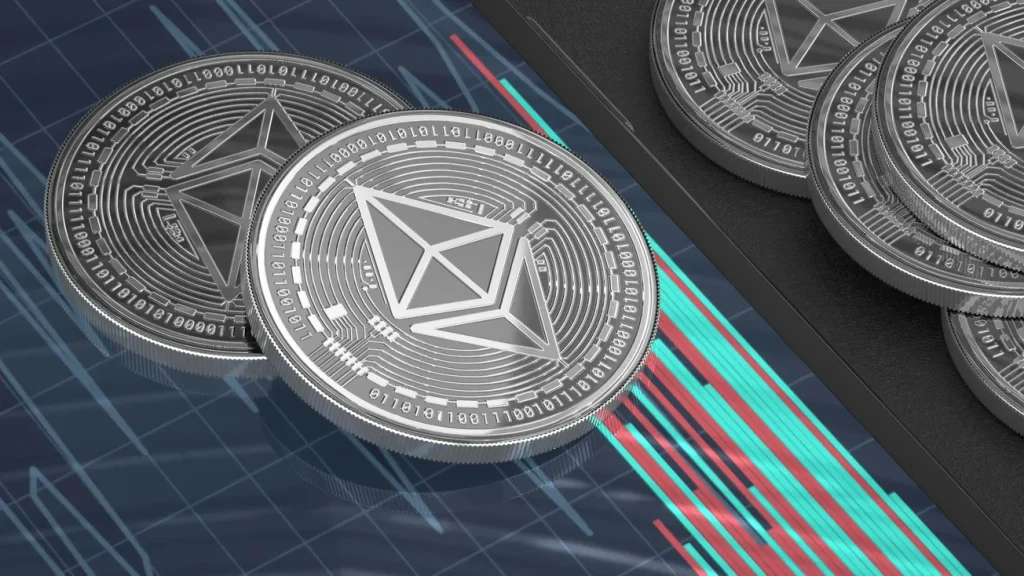
As Ethereum keeps evolving, it’s not just about DeFi protocols or meme coins anymore — it’s about bridging traditional finance with blockchain, and RWA tokenization is how we’re getting there.
But here’s the thing — none of this matters if your crypto isn’t stored and staked safely. That’s where hardware wallets like Ledger and Trezor come into play.
Whether you’re a passive staker looking to earn yield or a Web3 enthusiast exploring RWA platforms, choosing the right wallet can make or break your crypto journey.
Quick Answer: The Best Wallet to Stake ETH for RWA Tokenization
If you’re in a hurry and just want the verdict—go with Ledger. Here’s why:
- Ledger offers broader third-party staking integrations, making it easier to connect with RWA tokenization platforms like Centrifuge or Ondo Finance.
- It supports Ledger Live, which simplifies ETH staking directly within its ecosystem, or via integration with Lido and Rocket Pool.
- Security-wise, Ledger’s Secure Element chip adds another layer of protection for your staked ETH and any RWA tokens.
That said, Trezor is still a solid choice, especially if you prefer open-source firmware and transparency. It’s a bit more hands-on when setting up staking through third-party tools, but for privacy enthusiasts, it has its perks.
What Is Ethereum Staking & How It Powers RWA Tokenization
Before we compare wallets, let’s get on the same page about what Ethereum staking is — and why it’s a cornerstone for Real-World Asset (RWA) tokenization.
🪙 What Is Ethereum Staking?
In simple terms, Ethereum staking is the process of locking up your ETH to support the Ethereum network, now running on proof-of-stake. You earn staking rewards (like interest) in return. Instead of using power-hungry mining rigs, Ethereum now relies on validators — and you can become one or delegate your ETH through a staking provider.
🌎 How It Connects to RWA Tokenization
Now here’s where it gets interesting. RWA tokenization means turning real-world assets — think real estate, art, or even commodities — into digital tokens on the blockchain.
And Ethereum, being the biggest smart contract platform, is the go-to for building these tokenized asset systems. But these platforms often require a secure, staking-enabled environment to function properly. That means:
- Having ETH to cover gas fees
- Staking ETH to participate in governance or collateralization
- Safely storing and interacting with RWA tokens
In short, Ethereum staking is like the fuel, and RWA platforms are the vehicle. Without the right wallet, though, you’re either not maximizing your rewards, or worse — risking your digital assets.
Why Wallet Choice Matters in Real-World Asset Crypto Staking
In short: Your wallet affects how much you earn, how safe your assets are, and what platforms you can access.
🔐 1. Security Is Everything
When staking ETH, you’re locking up real value — sometimes thousands of dollars worth. Hardware wallets like Ledger and Trezor keep your private keys offline, meaning even if someone hacks your browser or staking dApp, they can’t touch your funds.
🌐 2. Compatibility With RWA Platforms
Many tokenized RWA platforms like Centrifuge, Maple, or Goldfinch require wallet connections for:
- Signing smart contracts
- Receiving yield from real-world collateral
- Participating in governance
Not all wallets play nice. Ledger and Trezor stand out because they work well with MetaMask, which serves as the bridge to most DeFi and RWA applications.
💸 3. Easier ETH Staking Integrations
Some wallets let you stake ETH directly — others make you jump through hoops. If you’re staking with platforms like Lido, Rocket Pool, or Coinbase, it’s crucial your wallet supports those integrations or allows you to delegate securely.
Ledger Wallet: Is It the Best Option for ETH & RWA Tokens?
If there’s one hardware wallet that consistently ranks at the top, it’s Ledger. With a sleek design, strong reputation, and wide ecosystem support, it’s hard to ignore when looking to stake ETH and get into RWA tokenization.
🔒 Security Features
- Secure Element chip (CC EAL5+): Adds a hardware-level vault for your private keys.
- Offline signing: Transactions are verified inside the device — not on your computer.
- Recovery phrase management with Ledger’s recovery options (just don’t lose it!).
💼 Staking Compatibility
Ledger supports Ethereum staking in multiple ways:
- Directly via Ledger Live, the native app.
- Through integrations with Lido and Rocket Pool, letting you stake and earn ETH rewards while still keeping control.
- Easily connectable with MetaMask, giving access to RWA platforms like Centrifuge and Goldfinch.
🌉 RWA Integration Potential
Because Ledger plays nicely with most DeFi interfaces and supports ERC-20 tokens, it can store tokenized real estate, private credit assets, or yield-generating NFTs. It’s like having a crypto Swiss Army knife.
🧭 User Experience
- Clean interface through Ledger Live.
- Frequent firmware updates.
- A learning curve for total beginners, but very smooth once you’re set up.
Verdict: If you want a wallet that supports ETH staking, RWA token storage, and DeFi connections — all with best-in-class security — Ledger is tough to beat.
Trezor Wallet: Pros & Cons for Ethereum Staking
Trezor may not have the flashy app ecosystem of Ledger, but what it does offer is top-notch transparency, a strong security reputation, and full user control — making it a favorite for privacy-minded Ethereum stakers.
🔓 Security That’s Open-Source
- Trezor wallets run on open-source firmware, which is a huge plus for those who like to audit their tools.
- While it doesn’t have a Secure Element like Ledger, Trezor compensates with transparent, verifiable security practices.
- Built-in Shamir Backup on the Model T helps securely recover wallets with multiple shares.
🪙 Ethereum Staking Capabilities
Trezor doesn’t support staking directly through its native app (Trezor Suite). But here’s how you can still stake ETH securely:
- Connect Trezor to MetaMask
- Stake via Lido, Rocket Pool, or any other third-party staking dApp
- You’ll sign all transactions on the Trezor device, keeping keys off your browser
It takes a bit more setup, but it works just as well — and you stay in full control.
🌍 RWA Compatibility
As long as the RWA platform supports MetaMask or Web3-compatible wallets, you’re good to go. Trezor lets you hold and manage tokenized RWAs like real estate tokens, invoice financing tokens, and more.
🧪 User Experience
- Trezor Suite is clean but more limited than Ledger Live
- More manual configuration needed for DeFi interactions
- Excellent privacy settings and no hidden processes
Verdict: If you’re a DIY kind of person who values full control and open-source systems, Trezor is a strong contender for staking ETH and holding RWA tokens — just expect a few extra steps.
Ledger vs Trezor: Key Differences You Should Know
Choosing between Ledger and Trezor can feel like picking between Apple and Android — both are solid, but they serve slightly different needs. Let’s break down their key differences based on what really matters for staking Ethereum and managing RWA tokens.
Feature 1: Security Approach
- Ledger: Uses a Secure Element chip, providing strong hardware-based encryption. However, firmware is partially closed-source.
- Trezor: Fully open-source firmware, giving transparency, but no Secure Element chip.
🏆 Best for High-Security Hardware: Ledger
Feature 2: ETH Staking Integration
- Ledger: Direct staking with Ledger Live and integrations with Lido, Rocket Pool, and Kiln.
- Trezor: Requires connecting to MetaMask, then manually staking via third-party platforms.
🏆 Best for Simplicity: Ledger
Feature 3: RWA Platform Compatibility
- Both wallets work via MetaMask, enabling access to tokenized RWA dApps.
- Ledger has more turnkey support within its ecosystem.
🏆 Best for Out-of-the-Box Use: Ledger
Feature 4: Software Ecosystem
- Ledger Live: Offers in-app staking, asset swaps, portfolio tracking.
- Trezor Suite: Clean and private, but with limited direct staking features.
🏆 Best for Features: Ledger
Feature 5: Privacy and Transparency
- Trezor is more transparent, with fully open-source firmware.
- Ledger came under scrutiny when launching its Recover feature, though it has since addressed concerns.
🏆 Best for Privacy-Conscious Users: Trezor
Feature 6: RWA Token Storage
- Both support ERC-20 tokens and are equally capable in holding tokenized assets.
- It comes down to ease of management — Ledger Live supports viewing more tokens natively.
🏆 Best for Token Management: Ledger
Feature 7: Price Point
- Ledger Nano S Plus: Around $79 USD
- Trezor Model One: Around $69 USD
- Trezor Model T: Around $219 USD (for advanced features like Shamir Backup)
🏆 Best Value for Basic Use: Ledger Nano S Plus
🏆 Best for Power Users: Trezor Model T
Final Takeaway: If you want convenience, integrations, and a smoother staking experience — go with Ledger. If you prefer open-source tools and don’t mind a bit more manual setup, Trezor is your trusted companion.
Step-by-Step: How to Stake ETH Using Ledger or Trezor Wallet
Whether you’re team Ledger or Trezor, setting up for ETH staking and accessing RWA tokens doesn’t have to be complicated. Here’s how to get started with both.
🪙 Staking Ethereum with Ledger
Step 1: Set Up Your Ledger
- Buy a Ledger Nano S Plus or Ledger Nano X from the official site.
- Install Ledger Live on your desktop or mobile device.
- Initialize the device, set your PIN, and securely write down your 24-word recovery phrase.
Step 2: Install Ethereum App
- Open Ledger Live → Go to “My Ledger”
- Install the Ethereum app on your device.
Step 3: Fund Your Wallet
- Send ETH from your exchange (like Coinbase or Binance) to your Ledger ETH address.
Step 4: Choose a Staking Method
- Inside Ledger Live, go to “Earn Rewards” → Ethereum
- Choose from platforms like Lido, Kiln, or StakeWise
- Stake your ETH and start earning rewards!
Step 5: Connect to RWA Platforms
- Connect Ledger to MetaMask (Ledger → Ethereum App → Export public key)
- Access RWA dApps like Centrifuge or Goldfinch
- Interact with tokenized assets while your ETH stays safe
🔐 Staking Ethereum with Trezor
Step 1: Set Up Your Trezor
- Choose either Trezor Model One or Model T
- Download and install Trezor Suite
- Set up your device and recovery phrase
Step 2: Connect to MetaMask
- Open MetaMask → Add hardware wallet → Select Trezor
- Unlock your Trezor and select the ETH account you want to use
Step 3: Transfer ETH to Trezor Wallet
- Send ETH from your centralized exchange to your MetaMask address (linked to Trezor)
Step 4: Stake via Third-Party Platform
- Visit a staking platform like Lido, Rocket Pool, or StakeWise
- Connect MetaMask (Trezor-linked)
- Choose your amount, review the transaction, and approve it via Trezor
Step 5: Access RWA dApps
- Use the same MetaMask + Trezor combo to log into platforms like Centrifuge or Maple
- Start exploring tokenized real estate, credit markets, and other RWAs
Conclusion
When it comes to staking Ethereum and diving into the world of tokenized real-world assets, your choice of wallet isn’t just about convenience — it’s about control, security, and future flexibility.
Both Ledger and Trezor are top-tier options, but they serve slightly different users:
- Ledger is perfect if you want a smoother, integrated staking experience with wide support across RWA platforms.
- Trezor shines if you prefer an open-source, transparent setup and don’t mind a few extra steps.
At the end of the day, staking and tokenization are reshaping finance — and with the right wallet, you’re not just watching from the sidelines… you’re participating.
So whether you’re earning yield, supporting decentralization, or holding a piece of real estate on the blockchain — protect your keys, stay informed, and embrace the future of digital assets.
![[7 Ways] You May Not Have a Proper App for Viewing this Content](https://www.ticktechtold.com/wp-content/uploads/2023/02/Featured_error-message-you-may-not-have-a-proper-app-for-viewing-this-content-android-whatsapp.webp)
![7 Ways to FIX Telegram Banned Number [Recover Account Unban]](https://www.ticktechtold.com/wp-content/uploads/2023/03/Featured_fix-recover-telegram-this-phone-number-is-banned.webp)